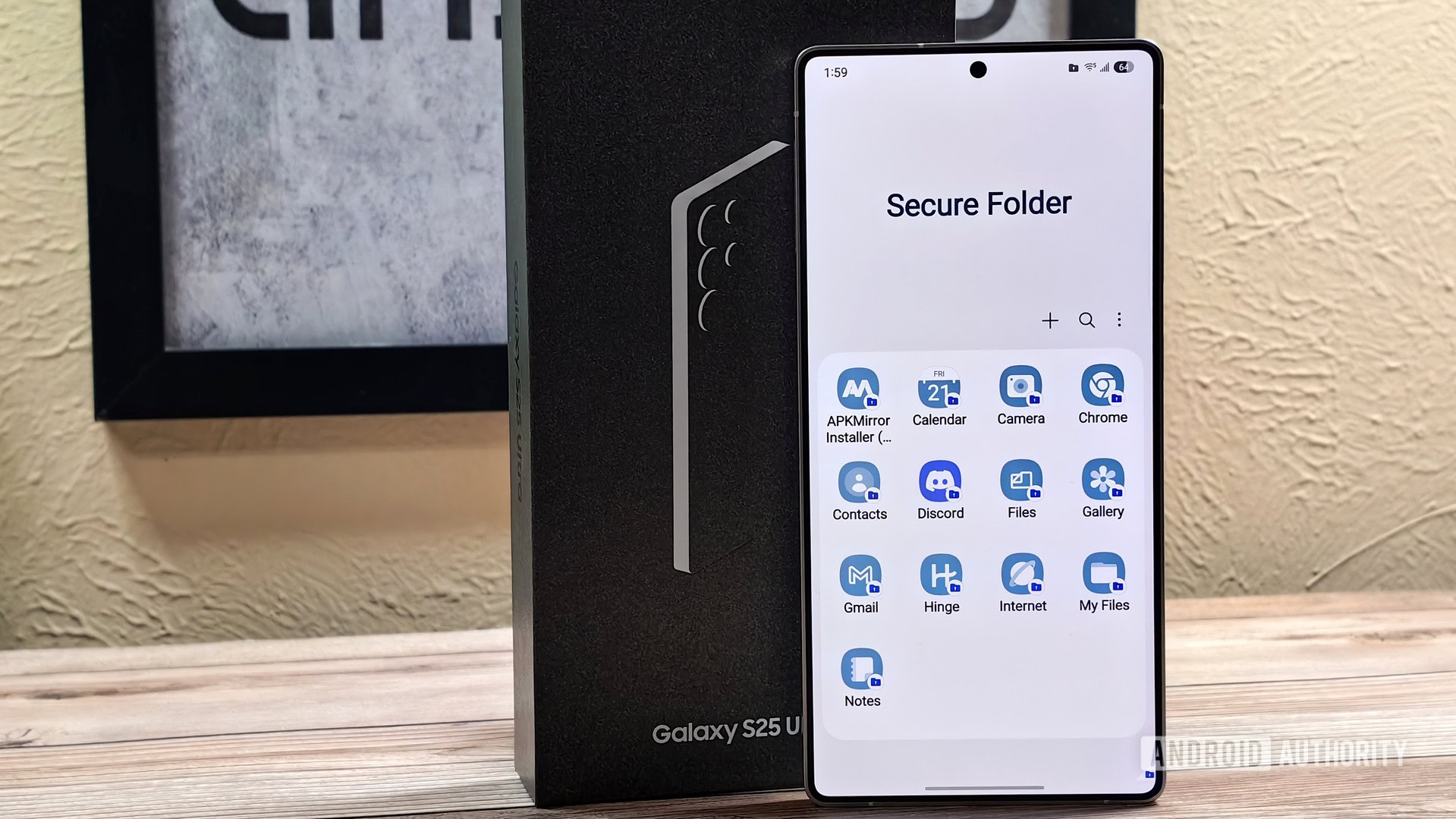
Samsung's Secure Folder is a robust security feature that creates a private, encrypted space on your Galaxy smartphone, separate from your regular data. While its primary function is to protect sensitive information, documents, and media from prying eyes, many users underestimate its broader potential. Mastering these five lesser-known applications for Secure Folder can significantly enhance your device's efficiency and user experience, proving it's far more than just a digital safe.
Firstly, Secure Folder is an excellent tool for managing multiple accounts for the same app. For instance, you can install a second instance of WhatsApp, Facebook, or Instagram within the Secure Folder, allowing you to seamlessly switch between personal and professional profiles without logging out. This eliminates the need for separate devices or complex account switching mechanisms.
Secondly, it serves as an isolated testing ground for new or potentially untrustworthy applications. If you're hesitant about granting permissions to a new app or suspect it might contain malware, installing it within Secure Folder confines its access to a protected environment. This way, you can evaluate its behavior without risking your main system's integrity or personal data.
Affiliate contentGames up to -90% off
Instant key delivery on Instant Gaming
Browse deals →Thirdly, it's invaluable for discreetly hosting 'guilty pleasure' apps or games. Whether it's a game you don't want visible on your main app drawer or an app that carries a certain stigma, Secure Folder keeps it entirely hidden and accessible only to you, maintaining your digital privacy and peace of mind.
Fourthly, Secure Folder can act as a powerful privacy shield for banking or financial apps. By placing these critical applications inside, you add an extra layer of biometric or PIN protection. This ensures that even if your main phone is unlocked, unauthorized individuals cannot access your financial tools, significantly boosting your security posture.
Finally, for power users, Secure Folder can house specific work-related tools or documents, creating a clear demarcation between professional and personal digital spaces. This separation aids in focus and organization, ensuring work-related notifications and data are kept distinct from personal distractions, streamlining your workflow and enhancing productivity. These uses collectively demonstrate that the Secure Folder is a versatile utility waiting to be fully explored.