Back
Android Authority14 d ago

Streamline Your Android: Managing Multiple Google Accounts Effortlessly

Stop the tedious process of switching between your Google accounts on Android. This guide provides efficient methods to manage multiple profiles without unnecessary hassle.

Streamline Your Android: Managing Multiple Google Accounts Effortlessly

If you're like many Android users, juggling multiple Google accounts – for work, personal use, or specific projects – can quickly become a chore. The traditional method of logging out of one account and into another is not only time-consuming but also disrupts your workflow and app access.

Thankfully, Android is designed to handle multiple Google accounts seamlessly. The key lies in understanding how to leverage the 'add account' feature within your device's settings. Instead of logging out of one account to access another, simply navigate to your phone's 'Settings,' then 'Accounts,' and select 'Add account.' From there, choose 'Google' and follow the prompts to sign in with your additional Google ID.

Affiliate content
Instant Gaming

Games up to -90% off

Instant key delivery on Instant Gaming

Browse deals →

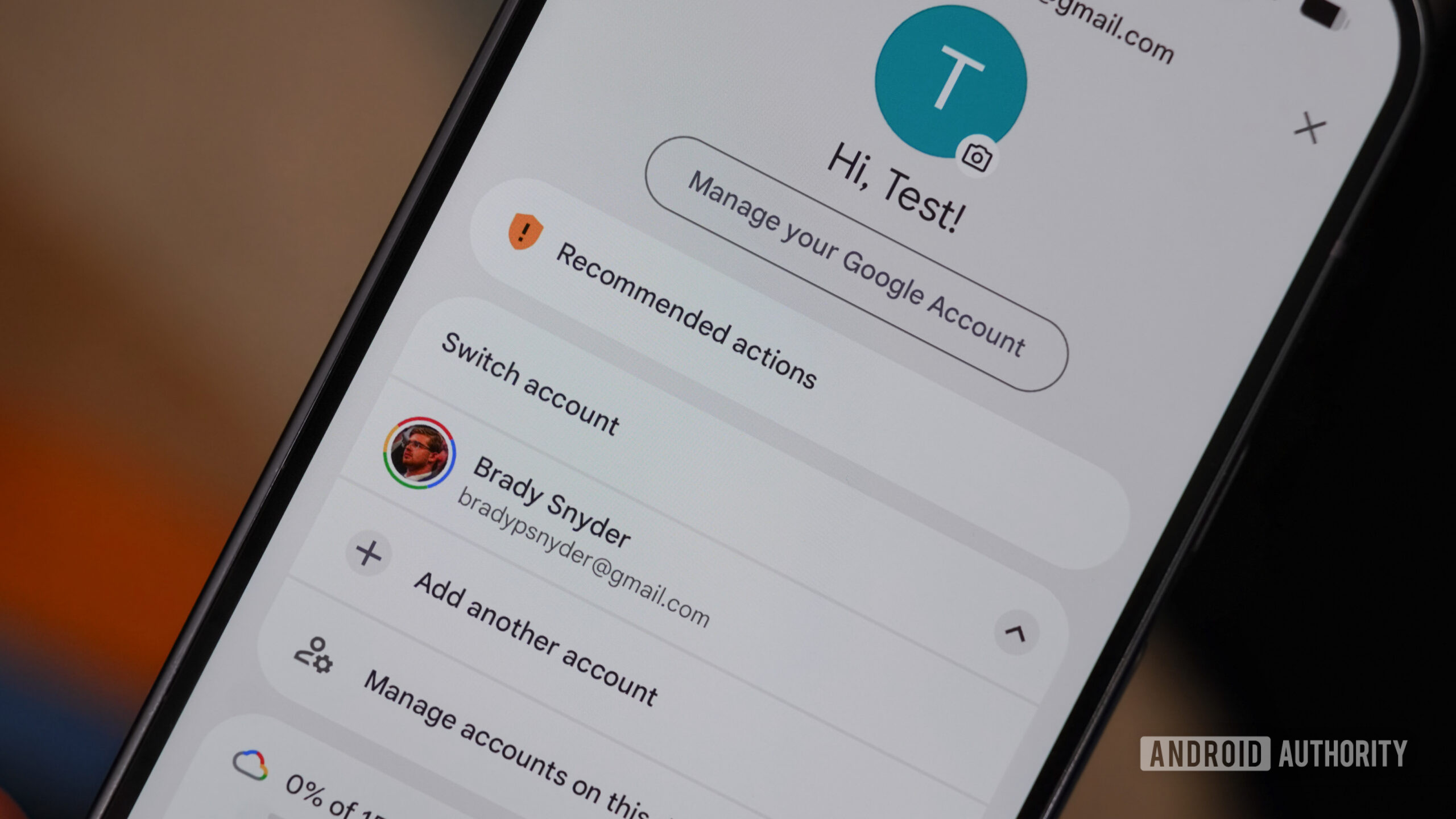
Once added, your device will recognize all linked accounts. Most Google applications, such as Gmail, Google Drive, Google Photos, and even YouTube, offer an easy-to-use switcher directly within their interfaces. Typically, you'll find your profile picture or initial in the corner of these apps; tapping it reveals a dropdown menu displaying all your linked Google accounts, allowing for instant switching without re-entering credentials.

This method not only saves precious time but also keeps your data segregated and organized. Each account can have its own synchronization settings, ensuring that your personal photos don't mix with work documents, and vice versa. Embrace the built-in capabilities of Android to make your multi-account management a breeze, transforming a potential headache into a streamlined experience.

Summary based on third-party reporting.

Original source: Android Authority

Recommended

NordVPN Introduces Message Protection for Android Users
Android Authority19 h ago

NordVPN Introduces Message Protection for Android Users

NordVPN has expanded its security offerings for Android users by launching a new Message Protection feature, complementing its existing Call Protection. This enhancement aims to safeguard users against a variety of malicious messages, bolstering mobile security.

Read article
SK hynix and TetraMem Showcase Experimental Memristor Chip for Energy-Efficient Edge AI
Tom's Hardware19 h ago

SK hynix and TetraMem Showcase Experimental Memristor Chip for Energy-Efficient Edge AI

SK hynix, in collaboration with TetraMem and the University of Southern California, has developed a memristor-based in-memory computing system-on-chip tailored for AI edge devices, demonstrating a significant leap in energy efficiency. However, despite promising results, the full performance capabilities of this experimental chip remain to be conclusively proven.

Read article
Urgent Recall: Power Bank Poses Fire Hazard
Android Authority19 h ago

Urgent Recall: Power Bank Poses Fire Hazard

Another model of power bank is being recalled due to severe overheating and fire risks, prompting an immediate halt to its use for owners. Consumers are strongly advised to cease using this specific device to prevent potential dangers.

Read article
ALGS Split 1 at EWC 2026: Schedule, Results, Standings, Teams, and Broadcast Information
Dot Esports19 h ago

ALGS Split 1 at EWC 2026: Schedule, Results, Standings, Teams, and Broadcast Information

Prepare for an intense showdown at the ALGS Split 1 tournament, which will serve as a qualifier for the Esports World Cup (EWC) 2026. This comprehensive guide provides all essential details, from team lineups to broadcasting schedules, ensuring fans don't miss a moment of the action unfolding in Paris.

Read article